- Главная
- Блог
- Об авторе
- Подписка на IT блог
-


- v1.1229
Оглавление:
How to write Hello World in Java. What is a Statement. How to write Comments in Java
Today we will go over the basic elements of Java:
- Statement (instructions)
- Code blocks
- We will create a simple program Hello World!
- We will analyze each word in the code
- We will learn to write comments that are not executed
What is a Statement
Any code in Java consists of statements, which is translated as instruction. An instruction is a command to perform some action: calling a method, initializing a variable, performing an operation, etc.
Each statement ends with a semicolon ;, which signals the compiler that the command is complete.
System.out.println("Hello World!");
{
    System.out.println("Hello World!");
    System.out.println("Hello Java!");
}
HereSystem.out.println— is a method that prints text to the console.
"Hello World!"— is the message that will be printed.
;— is the end of the statement.
Code Block
Instructions can be combined into code blocks, which are enclosed in curly braces { }:
{
    System.out.println("Hello World!");
    System.out.println("Hello Java!");
}
This block contains two instructions, each of which will output a message to the console.
The more functionality the program has, the more instructions it contains.
Hello World in Java
The simplest Java program looks like this:
public class JavaStart {
    public static void main(String args[]) {
        System.out.println("Hello World!");
    }
}
Breakdown by parts:
1. Class definition:
public class JavaStart { ... }public— access modifier, the class is accessible to everyone.class— keyword for defining a class.JavaStart— the name of the class.
2. The main method — the entry point of the program:
public static void main(String args[]) { ... }public— the method is accessible to everyone.static— the method is static, called without creating an object.void— the method does not return a value.main— the name of the method.(String args[])— command-line arguments (an array of strings).
All instructions that you place inside{ ... }of themainmethod will be executed when the program runs.
Comments in Java
Comments are lines of code that are not executed by the compiler. They help the developer understand the logic of the program.
1. Single-line comment
// This is a single-line comment
System.out.println("Hello World!"); // Comment after the code
2. Block comment
/*
   This is a block comment,
   which can span multiple lines
*/
System.out.println("Hello Java!");
It is recommended to leave comments on strategically important logic of the program to facilitate work for yourself and other developers.
Homework
- Create a new class (come up with a name on your own).
- Write code that prints a message to the console (come up with the text on your own).
- Try to comment your code in two ways: single-line and block.
Test — How well did you understand the lesson?
Оставить комментарий
Мой канал в социальных сетях
Полезные статьи:
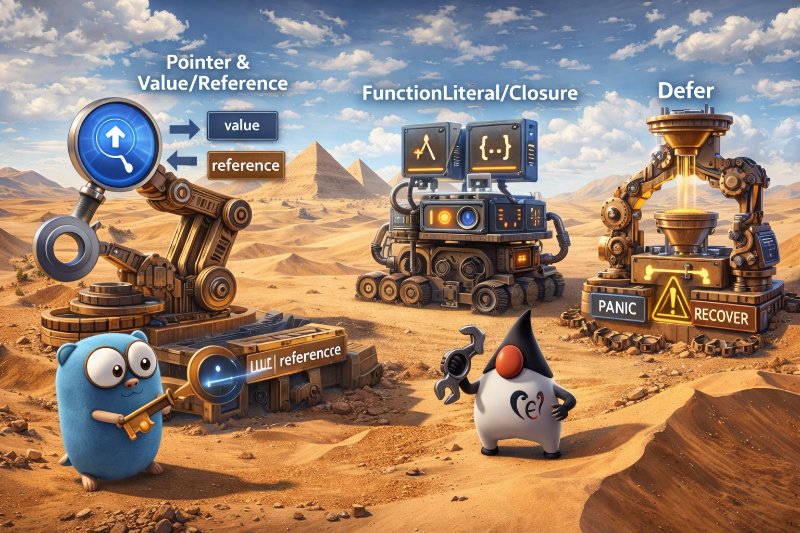
Series: Go for Java Developers — analyzing pointer, closures, defer, panic/recover In this article, we will analyze how Go manages the state and lifecycle of functions. A feature of Go is the ease of…

Multithreading is not just about "starting a million threads and letting them calculate". It is the art of efficiently using CPU and memory resources, safely processing data, and properly distributing…
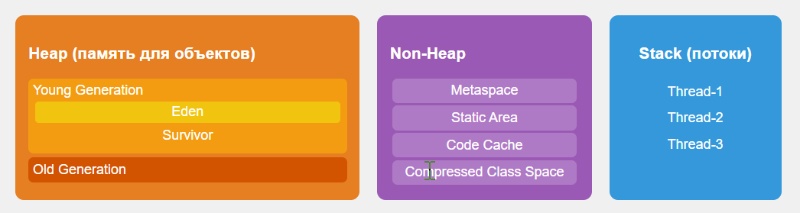
Diagram - Java Memory Model - Heap / Non-Heap / Stack Heap (memory for objects) Creates objects via new. Young Generation: Eden + Survivor. Old Generation: objects that have survived several GC c…
Новые статьи:
Concurrency is not about “starting many threads”. It’s about agreements between them. Imagine a restaurant kitchen: — cooks (threads / goroutines) — orders (tasks) — and the main question: how do th…

Imagine a typical production service. 32 CPU hundreds of threads configuration / session / rate limits cache tens of thousands of operations per second And somewhere inside — a regular Map. At first…

Zero Allocation — is an approach to writing code in which no unnecessary objects are created in heap memory during runtime. The main idea: fewer objects → less GC → higher stability and performance. …